

Social Media Growth
Blog & Resources
Expert insights, proven strategies, and the latest trends to help you dominate social media and grow your online presence.
Featured Article

How Telegram Boosts Work
Telegram boosts work by adding assigned boosts to a channel or eligible group’s active total. When that total reaches a level’s requirement, the community can access additional features.
To reach the right level, follow this order: choose your feature, check its required level, calculate the missing boosts, then enable the feature once eligible.
How Many Boosts Do You Get with Telegram Premium
A purchased Telegram Premium subscription provides four boosts, which can be assigned to channels or eligible groups. Gifts and giveaways can allocate boosts differently.
Premium purchase type | Boost allocation |
Purchased personal subscription | Four boosts for the subscriber to assign |
Ordinary personal Premium gift | Three additional boosts for the sender and one for the recipient |
Premium giveaway or destination-linked gift | Boosts go to the selected destination under that purchase flow rather than following the ordinary personal-gift split |
Sources: Telegram Premium terms and giveaway and gift documentation. A gift purchased specifically to boost a destination is different from an ordinary personal gift. Check the allocation displayed during purchase.
Having Premium does not automatically boost every channel you join. Boost allocation is a separate action.
What Does Each Channel Boost Level Unlock
Telegram’s published channel milestones include:
Level | Stories per day | Custom reaction slots | Additional appearance options |
1 | 1 | 1 | Channel-name colors and initial link and quote styles |
2 | 2 | 2 | More link and quote styles |
3 | 3 | 3 | Further link and quote styles |
4 | 4 | 4 | Custom logos for links and quotes |
5 | 5 | 5 | Initial channel-cover colors |
6 | 6 | 6 | More channel-cover colors |
7 | 7 | 7 | Custom channel-cover logos |
8 | 8 | 8 | Emoji status |
9 | 9 | 9 | Preset channel backgrounds |
10 | 10 | 10 | Custom channel backgrounds |
Source: Telegram Premium FAQ. Higher levels retain earlier benefits. Reaction slots are available emoji choices, not delivered reaction counts.
This table covers channels, not groups, and is not an exhaustive list of all Telegram features. Additional capabilities, such as auto-translation, have their own thresholds. Some color requirements depend on the selected palette. Use the requirement shown for your chosen feature inside Telegram when selecting a target level.
How Many Boosts Do You Need for Your Target Level
The required quantity is destination-specific. There is no fixed number that unlocks the same level for every channel. Use the required total for the level you want:
Additional boosts needed = maximum of 0 and (required target total − current active boosts).
Your boost information | Illustrative amount |
Required total for your chosen level | 40 |
Current active boosts | 27 |
Additional boosts needed | 13 |
These figures are examples, not universal Telegram requirements. If Telegram displays the number of boosts still needed rather than the required total, use that gap directly; do not subtract your current count from it again.
Use your target level, not automatically the next level. The next level may not unlock your chosen feature.
For several features, use the highest required level. Do not add their boost thresholds together.
Enter your confirmed figures into the Telegram boost calculator to compare suitable quantities and plans.
How to Check Your Boost Status
For a channel:
Open the channel profile.
Find Statistics and Boosts, then Boosts, in the channel settings or profile menu.
Review the current level, active boost count and next-level requirement.
Open your chosen feature’s settings to check its required level and any displayed boost gap. The next-level total alone may not describe a more distant target.
Copy the destination’s boost link if you want to request boosts.
For a group, open Group profile → menu → Boost Group. Labels can vary by app version. Record your starting count before an order. After delivery, check both the active count and the feature’s availability.
How to Apply or Request Boosts
Assign Available Boosts
Open the destination’s boost link and follow Telegram’s prompts to apply your available boosts. If they are assigned elsewhere, Telegram may show a reassignment option and a cooldown. Follow the timing displayed in your account rather than assuming every boost can move immediately.
Share Your Boost Link
Tell your audience what you want to unlock and how many boosts remain. For example:
“We need 13 more boosts to reach the level required for our next feature. If you have Telegram Premium and available boosts, you can help through our boost link. Thank you for supporting the channel.”
Before posting, name the actual feature, replace the example quantity with your current gap and attach your destination’s boost link. Update the request when the target is reached.
Use Premium Gifts or Giveaways
Ordinary personal Premium gifts give the sender additional boosts to assign. Supported Premium giveaways and destination-linked gifts allocate boosts to the selected channel or group. Those destination-linked boosts cannot be reassigned elsewhere during the gifted subscription’s duration.
Review the allocation shown during setup. Collectible Telegram gifts are different from Premium subscription gifts. See Telegram’s gift and giveaway rules.
Order the Missing Quantity
If you choose a paid service, calculate the gap first. smm plus offers Telegram boosts for public and private channels and groups. Compare the selected plan’s order limits, delivery estimate and refill coverage. No Telegram password is required.
The listed plans have a minimum order of 10 boosts. If your gap is smaller, consider available personal or audience boosts, or account for that minimum when ordering. A delivery estimate is not a guaranteed completion deadline.
How Long Do Telegram Boosts Last
Boosts have expiry information. Ordinary user-assigned boosts can also be reassigned under Telegram’s rules. Expiry or reassignment can reduce the active total and affect access to level-dependent features.
Telegram’s boost documentation describes expiry fields and reassignment cooldowns.
Term | Meaning |
Account Premium duration | How long the supplying account has Premium |
Active boost duration | How long the boost remains assigned and active |
Refill coverage | The period in which qualifying drops are replaced under the selected service terms |
The smm plus boost page lists 1-, 7-, 14- and 30-day refill coverage options, beginning after order completion. Qualifying drops during that period are handled through refill under the selected plan’s terms. Coverage is not a promise that every existing boost on the destination will remain active.
Compare Boost Plans and Refill Coverage
How to Plan Around Upcoming Expiry
Your current count may include boosts that expire before you need the feature. Suppose your target requires 40 boosts and you currently have 27. Your immediate gap is 13. If five existing boosts expire before your planned start, the projected gap becomes 18 unless those boosts are renewed or replaced.
Projected gap = maximum of 0 and (target requirement − boosts expected to remain active).
Use known expiry information rather than assuming an arbitrary loss. Recheck the destination’s threshold before ordering, because requirements can change as the community changes.
What to Check When a Feature Is Still Locked
What you see | What to check |
Boosts arrived but the feature is locked | Whether you reached that feature’s required level |
Your level is high enough but the feature is inactive | Whether an admin needs to enable it |
Stories cannot be posted | The posting admin’s Story permissions and available Story allowance |
A channel feature is missing in a group | Whether that feature applies to groups |
The count fell after reaching the target | Known expiry and possible reassignment |
Your requirement differs from an online example | Your destination’s own requirement inside Telegram |
Story posting requires appropriate administrator rights as well as sufficient boosts. Telegram also applies posting limits; see its Story documentation. For an order question, keep your order ID and destination link ready so support can identify the service and coverage.
Plan Your Boost Order with smm plus
Before ordering, note your destination, target feature, required level, current count and any known upcoming expiries. This gives channel owners and resellers a clear basis for choosing a quantity.
smm plus is a Telegram SMM panel for resellers supplying affordable Telegram services for resellers, agencies and channel owners. Compare boost plans by their stated limits, delivery estimates and refill coverage, then track your order through the dashboard.
Frequently Asked Questions
Can I Assign More Than One Boost to the Same Channel
Yes. You can assign multiple available boosts to the same destination, subject to the options and restrictions shown in Telegram.
Can I Transfer a Boost Immediately
Not always. Ordinary assigned boosts may have a reassignment cooldown. Giveaway-related and destination-linked gift allocations follow different rules.
Does Cancelling Premium Immediately Remove My Benefits
Cancelling renewal does not immediately end the paid subscription period. Telegram says Premium remains available until the current billing period ends. Check the boost’s expiry information when planning continued access. Source: Telegram Premium terms.
Why Is the Required Boost Total Different for Another Channel
Requirements are destination-specific, including differences in subscriber count. Use the total shown for your own destination rather than copying another channel’s quantity.
What Is the Fastest Way to Fill a Boost Gap
Check boosts available to you first, then request contributions from willing Premium members. Gifts, supported giveaways and paid orders are additional options. For an order, use the current delivery estimate on the boost service page.
How Do I Know Whether Boosts Are the Right Service
Start with the outcome you want. If you are still deciding between feature access and other goals, read what Telegram boosts are and when your channel needs them.
Latest Articles
All Articles
How Telegram Boosts Work
Telegram boosts work by adding assigned boosts to a channel or eligible group’s active total. When that total reaches a level’s requirement, the community can access additional features.
To reach the right level, follow this order: choose your feature, check its required level, calculate the missing boosts, then enable the feature once eligible.
How Many Boosts Do You Get with Telegram Premium
A purchased Telegram Premium subscription provides four boosts, which can be assigned to channels or eligible groups. Gifts and giveaways can allocate boosts differently.
Premium purchase type | Boost allocation |
Purchased personal subscription | Four boosts for the subscriber to assign |
Ordinary personal Premium gift | Three additional boosts for the sender and one for the recipient |
Premium giveaway or destination-linked gift | Boosts go to the selected destination under that purchase flow rather than following the ordinary personal-gift split |
Sources: Telegram Premium terms and giveaway and gift documentation. A gift purchased specifically to boost a destination is different from an ordinary personal gift. Check the allocation displayed during purchase.
Having Premium does not automatically boost every channel you join. Boost allocation is a separate action.
What Does Each Channel Boost Level Unlock
Telegram’s published channel milestones include:
Level | Stories per day | Custom reaction slots | Additional appearance options |
1 | 1 | 1 | Channel-name colors and initial link and quote styles |
2 | 2 | 2 | More link and quote styles |
3 | 3 | 3 | Further link and quote styles |
4 | 4 | 4 | Custom logos for links and quotes |
5 | 5 | 5 | Initial channel-cover colors |
6 | 6 | 6 | More channel-cover colors |
7 | 7 | 7 | Custom channel-cover logos |
8 | 8 | 8 | Emoji status |
9 | 9 | 9 | Preset channel backgrounds |
10 | 10 | 10 | Custom channel backgrounds |
Source: Telegram Premium FAQ. Higher levels retain earlier benefits. Reaction slots are available emoji choices, not delivered reaction counts.
This table covers channels, not groups, and is not an exhaustive list of all Telegram features. Additional capabilities, such as auto-translation, have their own thresholds. Some color requirements depend on the selected palette. Use the requirement shown for your chosen feature inside Telegram when selecting a target level.
How Many Boosts Do You Need for Your Target Level
The required quantity is destination-specific. There is no fixed number that unlocks the same level for every channel. Use the required total for the level you want:
Additional boosts needed = maximum of 0 and (required target total − current active boosts).
Your boost information | Illustrative amount |
Required total for your chosen level | 40 |
Current active boosts | 27 |
Additional boosts needed | 13 |
These figures are examples, not universal Telegram requirements. If Telegram displays the number of boosts still needed rather than the required total, use that gap directly; do not subtract your current count from it again.
Use your target level, not automatically the next level. The next level may not unlock your chosen feature.
For several features, use the highest required level. Do not add their boost thresholds together.
Enter your confirmed figures into the Telegram boost calculator to compare suitable quantities and plans.
How to Check Your Boost Status
For a channel:
Open the channel profile.
Find Statistics and Boosts, then Boosts, in the channel settings or profile menu.
Review the current level, active boost count and next-level requirement.
Open your chosen feature’s settings to check its required level and any displayed boost gap. The next-level total alone may not describe a more distant target.
Copy the destination’s boost link if you want to request boosts.
For a group, open Group profile → menu → Boost Group. Labels can vary by app version. Record your starting count before an order. After delivery, check both the active count and the feature’s availability.
How to Apply or Request Boosts
Assign Available Boosts
Open the destination’s boost link and follow Telegram’s prompts to apply your available boosts. If they are assigned elsewhere, Telegram may show a reassignment option and a cooldown. Follow the timing displayed in your account rather than assuming every boost can move immediately.
Share Your Boost Link
Tell your audience what you want to unlock and how many boosts remain. For example:
“We need 13 more boosts to reach the level required for our next feature. If you have Telegram Premium and available boosts, you can help through our boost link. Thank you for supporting the channel.”
Before posting, name the actual feature, replace the example quantity with your current gap and attach your destination’s boost link. Update the request when the target is reached.
Use Premium Gifts or Giveaways
Ordinary personal Premium gifts give the sender additional boosts to assign. Supported Premium giveaways and destination-linked gifts allocate boosts to the selected channel or group. Those destination-linked boosts cannot be reassigned elsewhere during the gifted subscription’s duration.
Review the allocation shown during setup. Collectible Telegram gifts are different from Premium subscription gifts. See Telegram’s gift and giveaway rules.
Order the Missing Quantity
If you choose a paid service, calculate the gap first. smm plus offers Telegram boosts for public and private channels and groups. Compare the selected plan’s order limits, delivery estimate and refill coverage. No Telegram password is required.
The listed plans have a minimum order of 10 boosts. If your gap is smaller, consider available personal or audience boosts, or account for that minimum when ordering. A delivery estimate is not a guaranteed completion deadline.
How Long Do Telegram Boosts Last
Boosts have expiry information. Ordinary user-assigned boosts can also be reassigned under Telegram’s rules. Expiry or reassignment can reduce the active total and affect access to level-dependent features.
Telegram’s boost documentation describes expiry fields and reassignment cooldowns.
Term | Meaning |
Account Premium duration | How long the supplying account has Premium |
Active boost duration | How long the boost remains assigned and active |
Refill coverage | The period in which qualifying drops are replaced under the selected service terms |
The smm plus boost page lists 1-, 7-, 14- and 30-day refill coverage options, beginning after order completion. Qualifying drops during that period are handled through refill under the selected plan’s terms. Coverage is not a promise that every existing boost on the destination will remain active.
Compare Boost Plans and Refill Coverage
How to Plan Around Upcoming Expiry
Your current count may include boosts that expire before you need the feature. Suppose your target requires 40 boosts and you currently have 27. Your immediate gap is 13. If five existing boosts expire before your planned start, the projected gap becomes 18 unless those boosts are renewed or replaced.
Projected gap = maximum of 0 and (target requirement − boosts expected to remain active).
Use known expiry information rather than assuming an arbitrary loss. Recheck the destination’s threshold before ordering, because requirements can change as the community changes.
What to Check When a Feature Is Still Locked
What you see | What to check |
Boosts arrived but the feature is locked | Whether you reached that feature’s required level |
Your level is high enough but the feature is inactive | Whether an admin needs to enable it |
Stories cannot be posted | The posting admin’s Story permissions and available Story allowance |
A channel feature is missing in a group | Whether that feature applies to groups |
The count fell after reaching the target | Known expiry and possible reassignment |
Your requirement differs from an online example | Your destination’s own requirement inside Telegram |
Story posting requires appropriate administrator rights as well as sufficient boosts. Telegram also applies posting limits; see its Story documentation. For an order question, keep your order ID and destination link ready so support can identify the service and coverage.
Plan Your Boost Order with smm plus
Before ordering, note your destination, target feature, required level, current count and any known upcoming expiries. This gives channel owners and resellers a clear basis for choosing a quantity.
smm plus is a Telegram SMM panel for resellers supplying affordable Telegram services for resellers, agencies and channel owners. Compare boost plans by their stated limits, delivery estimates and refill coverage, then track your order through the dashboard.
Frequently Asked Questions
Can I Assign More Than One Boost to the Same Channel
Yes. You can assign multiple available boosts to the same destination, subject to the options and restrictions shown in Telegram.
Can I Transfer a Boost Immediately
Not always. Ordinary assigned boosts may have a reassignment cooldown. Giveaway-related and destination-linked gift allocations follow different rules.
Does Cancelling Premium Immediately Remove My Benefits
Cancelling renewal does not immediately end the paid subscription period. Telegram says Premium remains available until the current billing period ends. Check the boost’s expiry information when planning continued access. Source: Telegram Premium terms.
Why Is the Required Boost Total Different for Another Channel
Requirements are destination-specific, including differences in subscriber count. Use the total shown for your own destination rather than copying another channel’s quantity.
What Is the Fastest Way to Fill a Boost Gap
Check boosts available to you first, then request contributions from willing Premium members. Gifts, supported giveaways and paid orders are additional options. For an order, use the current delivery estimate on the boost service page.
How Do I Know Whether Boosts Are the Right Service
Start with the outcome you want. If you are still deciding between feature access and other goals, read what Telegram boosts are and when your channel needs them.
What Is Telegram Boost and Does Your Channel Need It
Telegram boosts help channels and eligible groups unlock additional features. They are useful when you want a specific capability—such as channel Stories or more customization—that requires a higher boost level.
The important question is: what do you want to change about your community? If you need a feature Telegram has locked behind a level, boosts may help. If you want more subscribers or more views on a post, those are different needs.

Telegram Growth Signals Checklist (2026 Edition)
How do I know what signals will drive growth on Telegram today? The answer is no longer just how many subscribers a channel has. The Telegram ecosystem continues to reward channels with long-term growth strategies, who show consistent engagement, consistent retention, continuous active participation in their community, and consistent content creation. Many creators focus solely on growing their audiences when, in reality, channel growth will be driven by a combination of measurable behavioural signals. The Complete Telegram Growth Signals Checklist identifies key factors and metrics for engagement, optimising growth, and providing insight into the Telegram environment.
Whether you manage a news channel, cryptocurrency community, educational project, e-commerce brand, or personal media channel, this checklist provides you with an overview of what Telegram values, and will assist you to improve your organic visibility on the platform.

How Telegram Bots Gain Visibility After Launch
While the process of building a Telegram bot can be fairly simple, the real work starts once the bot is live and available to use. There is more to success than just having good functionality as well. Developing a visible Telegram bot is just as important as the actual development process. Bots on Telegram should not be looked at as simple scripts, but instead as products competing against each other on the digital playground. A bot that doesn't have a visibility plan won't ever be found no matter how useful it is.
This article discusses a lot of the technical aspects of how to create a visibility plan for a Telegram bot, including discovery strategies, driving traffic from external sources, implementing SEO strategies for bot optimization, paid amplification strategies, and geo-targeted growth strategies.

Why Telegram Members Join but Stay Inactive
Seeing the membership count of your Telegram channel rise to thousands, a sense of accomplishment may accompany this increase in membership. Unfortunately, with the rise in membership, there also seems to be an on-going struggle of inactivity among members. We often see new members join and never participate at all. They join, are quiet, and do not help to create or further develop your channel. Understanding why members do not participate is more than a curiosity; it is an essential insight for anyone who is trying to initiate or join an active, engaged community.
In this article, we'll cover the underlying causes of inactivity, why your audience is inactive based on those causes, and how to help with participant retention on your channel through tools such as Telegram premium members or zero drop members.

Telegram Channel KPI Dashboard: Which Metrics Matter Most?
If you're only looking at subscriber numbers to judge your Telegram channel, you're missing the bigger picture. Today, success is not about how many members you have—it's about what those members actually do after joining. A Telegram KPI dashboard simply shows you what's really happening in your channel, not what you assume is happening. This guide will provide you with the definitive list of the most significant Telegram KPIs; View, Engagement, Retention, Growth and Search Visibility. Additionally, you will learn how to analyze these KPIs similarly to someone who dedicated their career to Analysis rather than as an occasional channel owner.

What Is a Good Telegram Engagement Rate? Benchmarks by Channel Size
There is no single Telegram engagement rate that is “good” for every channel. Smaller channels often reach a larger percentage of their subscribers, while that percentage generally declines as audiences grow. A useful comparison therefore looks at channels with a similar audience size, niche, posting pattern, and measurement method.
There is another important distinction: Telegram engagement does not have one universal metric. The term may refer to the percentage of subscribers who view a post, often called View Rate or ERR, or to the percentage of viewers who interact through reactions, comments, and forwards, often called ER.
Before comparing your channel with a benchmark, first identify which of these two metrics you are actually measuring.

Telegram View-to-Member Ratio: How to Calculate and Interpret It
The Telegram view-to-member ratio compares average post views with the number of subscribers in a channel. A simple version is calculated by dividing average post views by subscriber count and multiplying by 100.
For example, if a channel has 20,000 subscribers and averages 4,000 views per post, its view-to-member ratio is 20%.
However, the result should not be interpreted as the exact percentage of subscribers who viewed the post. Telegram's visible view counter can include views from forwarded copies, and Telegram describes its counters as approximate. Under certain conditions, later repeat views may also be counted again.
The ratio is therefore best used as a comparative metric for analyzing post exposure relative to channel size—not as an exact unique-reach measurement or a verdict on audience quality.

Telegram Bot Ranking Factors: What Actually Matters in 2026?
The ecosystem of Telegram has changed drastically over the years. Where once the focus was primarily on simply increasing the number of subscribers and methods of mass acquiring new users, now the emphasis is placed more on measuring engagement and developing enhanced behavioral patterns for the retention of long-term users.
Along with its ongoing expansion of search capabilities, development of discovery methods for bots, and improvement of recommendation systems, marketers and owners of bots are left wondering a very important question: What are the actual influences to bot rankings on Telegram in the year 2026? Unlike before, where the answer was all about the numbers of subscribers that the bot had, it is now clear that having 10,000 inactive users will perform significantly worse than having 2,000 users who actively engage with the bot on a day-to-day basis. As Telegram continues to develop mechanisms that reward the quality of usage, the consistency of retention, and the relevance of users to the bot, the user experience is what will ultimately count.
This guide contains a breakdown of the ranking factors that matter the most in 2026. These include Premium Bot Starts , retention metrics, repeat usage behavior, GEO signals and search visibility.
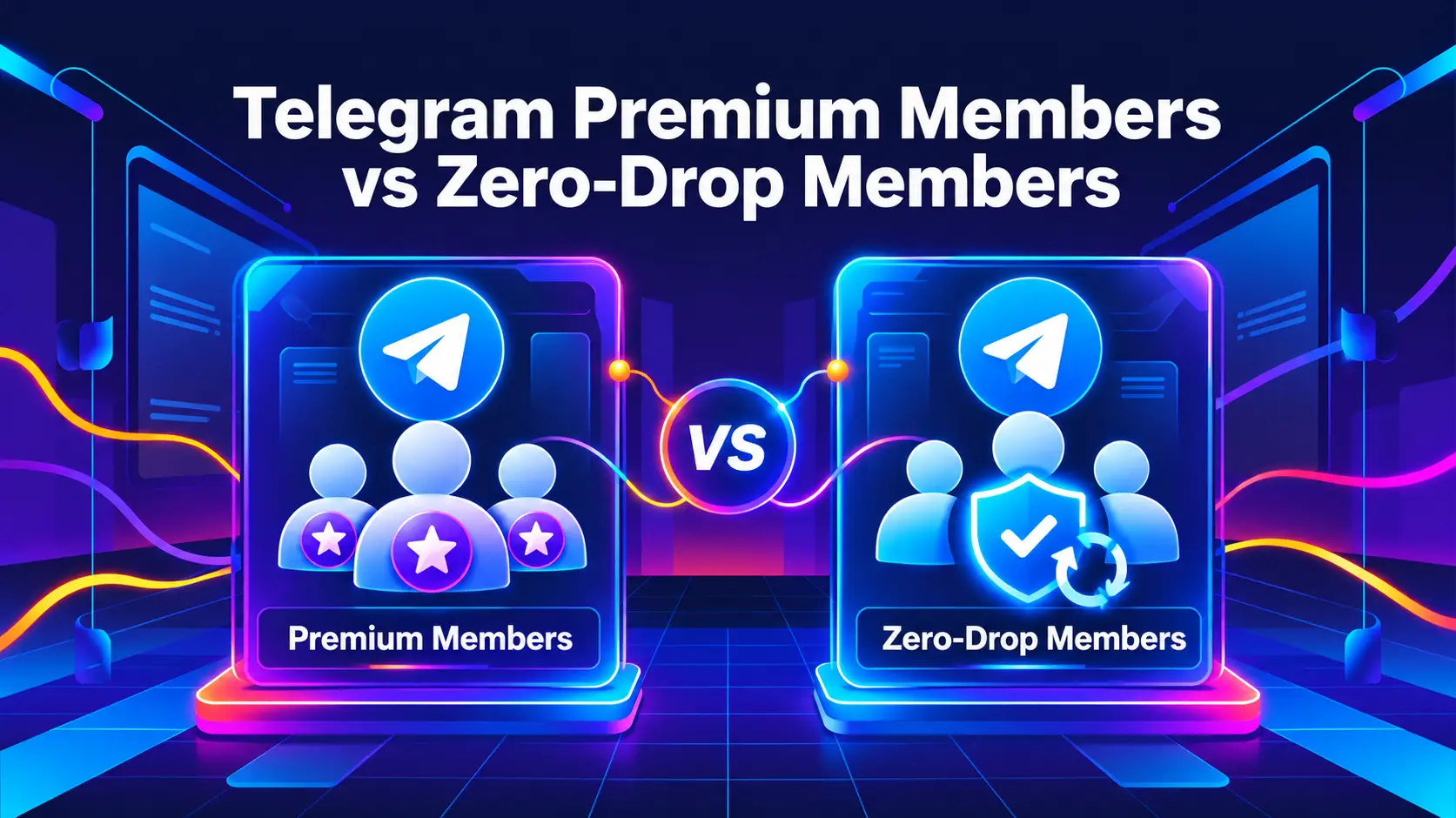
Premium vs Non-Drop Telegram Members: Prices & Refill
Choose Telegram Premium members when active Premium status is part of your order. Choose non-drop Telegram members when you want a stable member count backed by a refill period and Premium status doesn’t matter. The two can overlap, because Premium plans can also include refill, so the real comparison is account type, refill coverage, order limits and price. Prices below are current as of 2 November 2026.
Premium vs Non-Drop Members at a Glance
Compare Prices and Conditions
The tables put the price, order limits and refill terms of each smm plus member plan side by side, so you can pick the cheapest plan that still meets your requirements. Prices are in USD per 1,000 members, and plan names are shown exactly as listed in the catalog.
Non-drop members
Price does not simply rise with refill length: plan 36 (120 days) costs more than plan 34 (365 days), and lifetime plan 276 costs less than both. Compare each plan on its own terms. The low-drop plan (30) does not name a refill period in its title, so it is not directly comparable with the others.
Premium members
Premium plan titles such as “7/15-Day Plan” or “14/30-Day Plan” carry two time periods. Confirm which figure is the refill period and which is the Premium duration on the plan itself before you quote a customer, because the two are separate terms.
Prices and plan names as of 2 November 2026, taken from the smm plus services catalog. Rates and refill terms can change, so confirm them before you order. Average delivery time is a historical estimate, not a guaranteed deadline. None of these services includes guaranteed engagement or automatic boosts.
What Are Non-Drop Telegram Members
Non-drop members, also written no-drop or zero-drop, are sold around member-count stability and replacement coverage. The label alone does not tell you how a provider handles a drop, so the refill policy is what matters. At smm plus the category is listed as None Drop members, with refill periods from 30 days to lifetime depending on the plan.
Two points are worth being clear about:
Non-drop does not mean permanent. Accounts can leave a channel, and Telegram can remove inactive or deleted accounts. The label changes neither fact.
Retention and refill are different things. Retention is members staying. Refill is replacing members who left, so a stable total can include replacements and doesn’t show how many original accounts remain.
For non-drop members the remedy for a covered drop is a refill (replacement members), not a refund. To check your own drop rate, record your count at delivery and again at day 7, 30 and 90, then use: drop rate (%) = (delivered − still present) ÷ delivered × 100. Read why Telegram members drop for the causes.
What Are Telegram Premium Members
Telegram Premium members are accounts with an active Telegram Premium subscription when they are delivered to your channel or group. Telegram describes Premium as an optional subscription with extra account features, including a Premium badge; see the official Telegram Premium FAQ.
Buying Premium members adds accounts with that characteristic. It does not upgrade your own account, give you control of the delivered accounts or automatically assign boosts to your channel. The service fits orders that specifically require Premium accounts, such as a reseller package that promises a stated account type and Premium period. Premium status also does not show that members will read posts, react, buy anything or improve your search ranking.
Compare the current Premium member plans.
Which Type of Members Should You Choose
When your order requires Premium accounts
Choose Premium members when active Premium status is part of the specification. Decide how long that status needs to last and pick a plan that meets it. A low price only helps if the account type and duration also fit.
When a stable count is your priority
Choose non-drop members when you want delivery with a refill period and don’t need Premium accounts. You avoid paying for Premium status that isn’t part of the order. The cheapest suitable plan is the one that accepts your quantity and has the refill period you need; a higher price does not prove that members are more active.
When your goal is views, leads or sales
Neither type guarantees an engaged audience or business results. If you need people to read, click or buy, measure those actions separately from member delivery. Relevant content and a clear offer still do that work. You can order both types for separate requirements, but there is no universal Premium-to-non-drop ratio that guarantees better results.
Premium Duration and Refill Coverage
Premium duration is how long the delivered accounts keep the stated subscription. Refill coverage is the period in which covered losses are replaced. They answer different questions, so don’t treat the number in a plan’s name as both. For non-drop plans, refill is the coverage period named in the title (for example 90 Days Refill).
If a covered loss happens, keep your order ID and destination link and contact support. Say whether members left or whether accounts stayed but lost Premium, since those are different observations.
How to Work Out the Total Cost
For plans priced per 1,000: total cost = quantity ÷ 1,000 × price per 1,000. Using the listed rates:
5,000 non-drop members on plan 31 ($0.14): 5 × $0.14 = $0.70
5,000 non-drop members on lifetime plan 276 ($0.16): 5 × $0.16 = $0.80
5,000 Premium members on plan 286 ($1.80): 5 × $1.80 = $9.00
5,000 Premium members on plan 288 ($6.70): 5 × $6.70 = $33.50
At these plans Premium costs roughly 13 times more per member than non-drop (plan 286 against plan 31), so pay for Premium only when the order requires it. Everyone pays the same listed rate, with no hidden bulk tiers or private discounts. For resellers, the gap between resale price and service cost is not net profit, because payment fees and support time come out of it.
Do These Members Include Engagement or Boosts?
No. Member orders deliver members. They don’t include post views, reactions, discussion or purchases, and a rising member count next to flat post views means the two metrics are telling different stories. Boosts are separate too: Telegram says Premium subscribers can assign boosts to channels, but a Premium account joining does not mean it has assigned its boosts to you. If boosts are the goal, compare Telegram boost plans. To understand account types, read fake vs real Telegram members.
What Resellers Should Record Before Quoting a Customer
The member quantity and the plan ID.
Whether Premium status is required and for how long.
The refill period and what it covers (drops, and for Premium also loss of Premium).
The supported destination and required link format.
Total service cost and the plan’s minimum and maximum order.
The average delivery time against your customer’s deadline.
Treat average time as an estimate. API access is free for every reseller or channel owner buying from smm plus, and you can also order from the dashboard.
Try the Service Before a Larger Order
A free test shows you the ordering process and initial delivery. Signup is required; no credit card or Telegram password is needed. For a non-drop test, watch the member count over the following days. For a Premium test, check delivery and observable Premium status. A short test can’t prove long-term retention, so follow it with a small paid order before you scale up.
Frequently Asked Questions
Can Premium members drop?
Yes. Premium status doesn’t stop an account from leaving. Refill coverage for drops or loss of Premium follows each plan, so check the plan before ordering.
Are non-drop members permanent?
No. Non-drop means covered drops are replaced within the plan’s refill period, which runs from 30 days to lifetime depending on the plan. It doesn’t mean every original account stays forever.
Are non-drop members also Premium accounts?
Don’t assume so. Drop coverage and Premium status are separate characteristics. If you need Premium accounts, choose a plan that says so.
Which is cheaper, Premium or non-drop members?
Non-drop. In the current catalog non-drop plans run from $0.14 to $0.95 per 1,000 and Premium plans from $0.95 to $12.00. Premium costs more because it delivers an additional characteristic.
Are Premium members worth the extra cost?
When Premium status is a required part of the order, yes. If you only need member delivery with a refill period, compare non-drop plans. Paying more doesn’t guarantee more views, engagement or sales.
Can I order for a private channel or group?
Paid member plans work for public and private channels and groups. Use the link format the selected plan requires and make sure an invite link stays valid. Free-test requirements can differ.
Do I need to share my Telegram password?
No. You only provide the destination information the plan asks for.